
connect with Kin
Coming soon!
About Kinnected
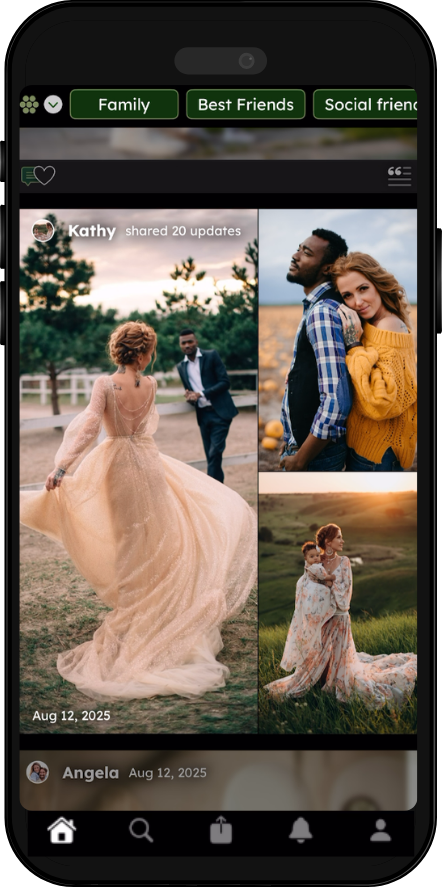
Kinnected is a private, ad-free social and photo-sharing app built for close friends and family.
We believe that your attention and data shouldn't be the product:
That’s why Kinnected is funded by our community through Premium Subscriptions, so we can continue to stay focused on building a better experience & not selling ads.
What are our core values
-
We believe you should have total authority over your digital image. Whether it’s sharing a photo of your child with grandparents or applying a "Privacy Screen" to blur that same face for colleagues, you decide the level of detail. Your profile isn't one-size-fits-all because your relationships aren't either.
-
We don’t just "protect" your data; we respect it by not taking what we don’t need. Kinnected doesn't snoop through your contacts or scan your entire photo library. We will never sell your information to third parties, because your private life shouldn't be a line item on someone else’s balance sheet.
-
Social media should be a bridge to your loved ones, not a trap for your attention. By removing influencers, intrusive ads, and addictive algorithms, we’ve eliminated the "doomscroll." Kinnected is designed for meaningful updates, giving you your time back to spend with the very people you’re posting about.
What sets Kinnected apart
Create your Kinships
You’ll create groups to categorize your Kin, and these groups are called Kinships (e.g., family, best friends, casual friends etc.).
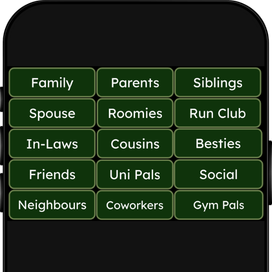
Fully customized profile
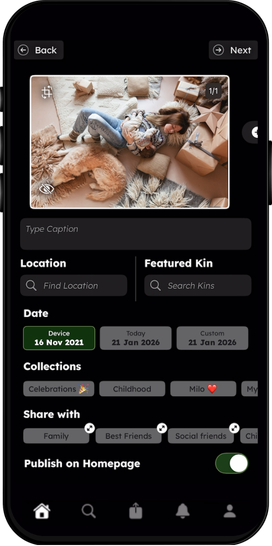
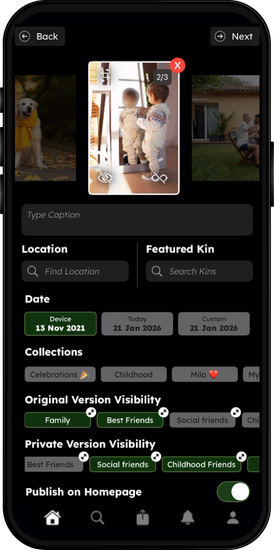
When uploading content, you’ll choose what Kinships have viewing access and what date it should appear on your timeline.
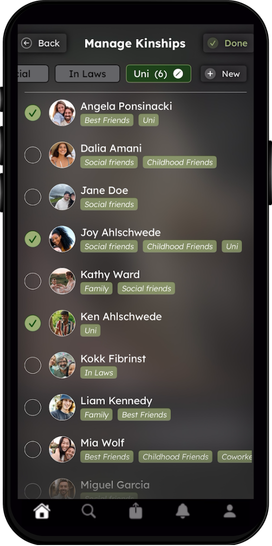
Manage your Kinships
Each Kin can be in one or more Kinships, which you can adjust at any time.
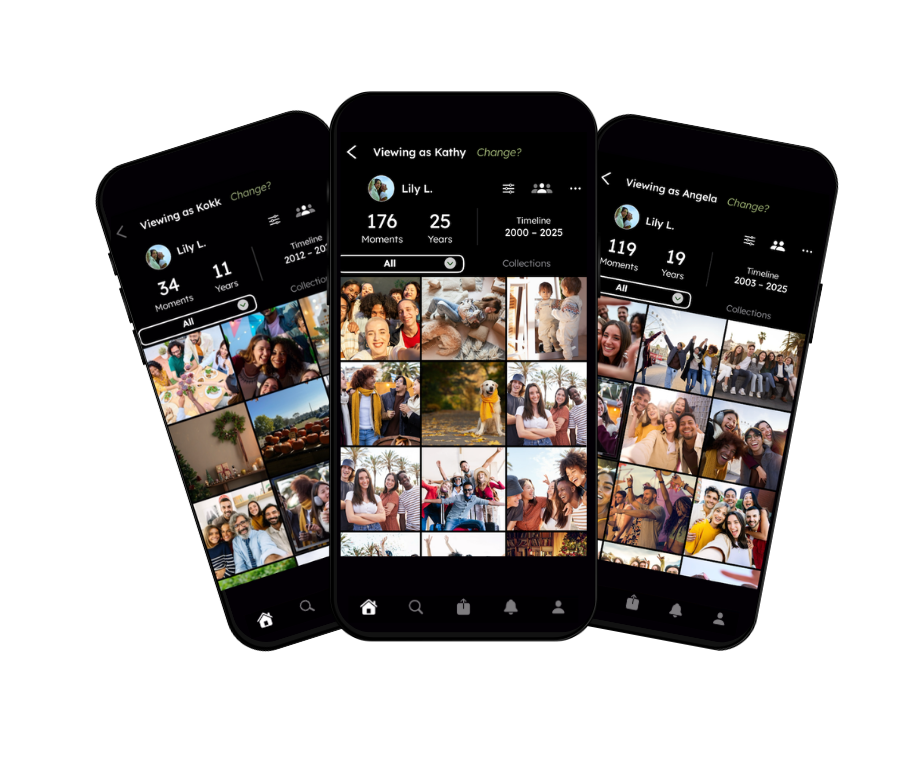
Different view for each kinship
Each Kin will have a different view of your profile, based on the Kinships they’re in.
goodbye algorithm
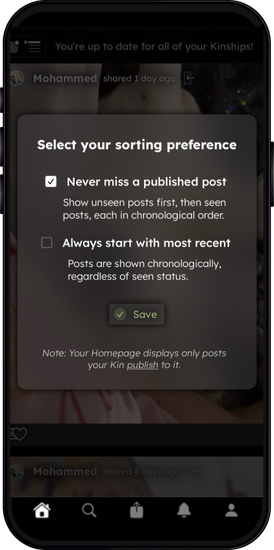
Would you rather view your Homepage chronologically or by unseen posts? You can decide, no more algorithm!
apply privacy screens
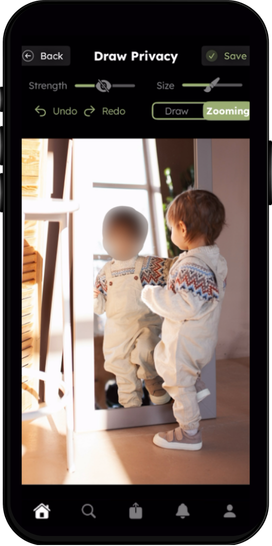
Blur your sensitive content and decide who has access to the original version (no blur) or who has access to the private version with the blur.
Frequently Asked Questions
-
To begin, download our app on either the Apple App Store or the Google Play Store. From there, you’ll be brought through the onboarding process to create your profile on Kinnected (which involves creating Kinships, inviting Kin, choosing Kinships for your Kin, then optionally backdating your profile with your favorite moments!).
-
A Kinship is a private group of people (your "Kin") that you define. You might have one for "Family," one for "Close Friends," and another for “Colleagues." This allows you to share different content with different groups simultaneously.
-
Before you post content, you can apply a digital blur to sensitive areas—like a child's face, a house number, or a license plate. Then choose who sees the original version (no blur) and who sees the private version (with blur).
-
In the Kinnected app, go to Settings and then click on ‘Access & Security’. There is where you will see an option to delete your account.
-
No. If they’re not in a Kinship that has access to the content, they will not be able to view the content. Therefore, each Kin will have a different view of your profile.
-
We believe your attention and data shouldn't be the product, that’s why Kinnected is funded by our community through Premium Subscriptions, so we can continue to stay focused on building a better experience & not selling ads.
The free version has been designed to be suitable for the majority of users who want to stay connected with Kin.
The premium version has been designed for those who want to share more with Kin.
-
On iOS devices, you can manage your subscriptions in the App Store and on Android devices you can manage your subscription in the Play Store.
You can also manage your subscription in the Kinnected app by going to Settings and then clicking on ‘Manage Subscriptions’.